
Deciding between a chat widget and a contact form for your medical practice isn’t just a technical choice; it’s a strategic one that directly impacts how many new patients you attract and how efficiently you manage inquiries. The quick answer? Chat widgets generally convert better for medical practices, especially for urgent or immediate needs. They offer a direct, instant line of communication that contact forms, by their very nature, cannot replicate. However, understanding why this is the case, and recognizing scenarios where each shines, is crucial for optimizing your online presence.
When someone is looking for medical information or care, they often have a level of urgency. This isn’t like buying a new gadget; it’s about their health or the health of a loved one.
The Immediate Need Factor
When a patient has a question about their symptoms, wants to book an appointment, or needs to clarify insurance details, they often want an answer now. They might be in discomfort, worried, or simply trying to check something off their to-do list quickly.
- Minimizing Uncertainty: For health-related concerns, uncertainty can be quite stressful. A quick chat can alleviate this immediately.
- Time Sensitivity: People are busy. Waiting 24-48 hours for an email response from a contact form can feel like an eternity, especially when other practices offer instant help.
The Power of Real-Time Interaction
Chat widgets provide that instant gratification. A person can type a question and often get an answer within seconds or minutes. This engagement creates a more dynamic and personalized experience than filling out a static form.
- Live Agent Interaction: This allows for nuanced conversations, clarifications, and the ability to address follow-up questions on the spot.
- Automated Chatbots: Even AI-powered chatbots can quickly answer FAQs, guide patients to relevant resources, or help them schedule appointments, all without human intervention.
In the ongoing debate of Chat Widgets vs Contact Forms: Which Converts Better for Medical Practices?, it’s essential to consider various strategies that can enhance patient engagement and improve conversion rates. A related article that delves into effective methods for boosting the bottom line in medical practices can be found at Ignite Medical’s guide on improving your optometry business’s bottom line. This resource provides valuable insights that can complement the discussion on the effectiveness of different communication tools in the healthcare sector.
Chat Widgets: Your Instant Patient Gateway
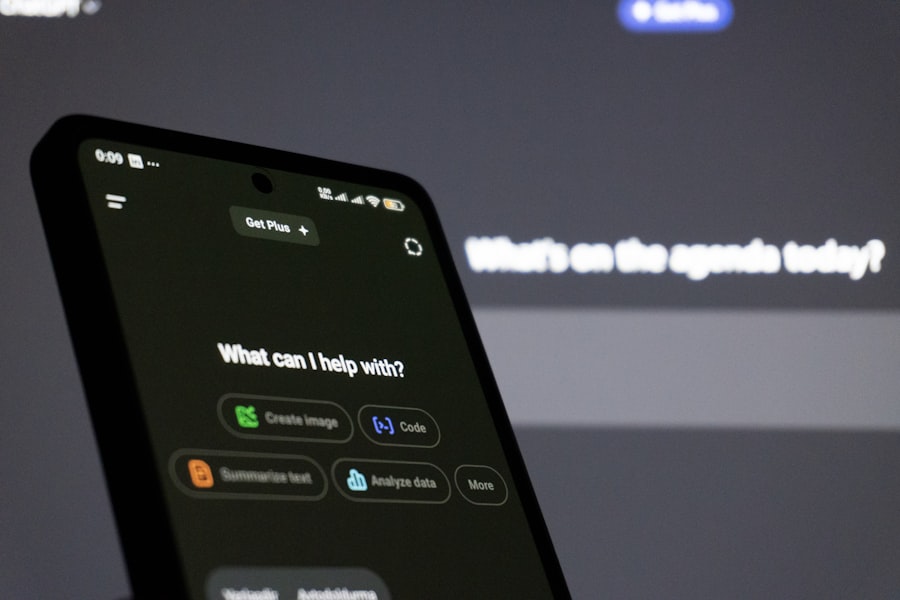
Chat widgets, whether managed by a live agent or an AI chatbot, offer a proactive and immediate way to engage with potential patients right on your website.
Advantages of Chat Widgets
Their real-time nature provides several clear benefits for medical practices.
- Higher Conversion Rates: Due to immediate engagement and the ability to answer questions directly, chat widgets often lead to more completed appointment bookings or information requests.
- Instant Gratification & Reduced Friction: Patients get answers quickly, removing the frustration of waiting. This lowers the barrier to taking the next step.
- Pre-Qualification & Triage: Chatbots can be programmed to ask qualifying questions (e.g., insurance provider, type of ailment) before connecting to a human, saving staff time.
- 24/7 Availability (with Chatbots): A chatbot can answer common questions and guide users at any time of day or night, capturing leads outside of business hours.
- Accessibility: For some patients, typing may be easier or preferred over a phone call.
- Data Collection & Insights: Chat transcripts provide valuable data on common patient questions, pain points, and areas where your website information might be lacking.
Types of Chat Widget Implementations
It’s not a one-size-fits-all. You have options depending on your practice’s resources and goals.
- Live Chat with Human Agents: This offers the most personalized experience but requires dedicated staff during operational hours. Best for complex inquiries or immediate scheduling.
- AI-Powered Chatbots: Excellent for handling FAQs, appointment scheduling, basic symptom checkers (with disclaimers), and directing patients to appropriate resources. They can operate 24/7.
- Hybrid Approach: Start with an AI chatbot for initial qualification and common queries, then seamlessly transfer to a live agent for more complex issues or during business hours. This is often the most effective strategy.
Contact Forms: The Reliable Workhorse for Specific Needs

While chat widgets offer speed, contact forms still have a vital role in your medical practice’s online strategy. They’re not obsolete; they simply serve a different purpose.
When Contact Forms Excel
There are specific situations where a contact form is not just adequate, but often preferable.
- Non-Urgent Inquiries: For questions that don’t require an immediate response, such as general feedback, partnership inquiries, or requests for non-critical information.
- Detailed Information Gathering: Contact forms are excellent for systematically collecting specific information fields (name, email, phone, reason for contact, insurance details, preferred appointment times). This structure can be more efficient for internal processing than sifting through chat transcripts.
- Compliance and Documentation: For certain types of inquiries, having a clear, documented submission with specific legal disclaimers can be important.
- Accessibility for Non-Real-Time Communication: Some patients prefer to gather their thoughts and type out a detailed message without the pressure of an immediate response.
- Smaller Practices with Limited Staff: If you don’t have dedicated staff available to monitor a live chat consistently, a contact form ensures that all inquiries are captured for later review, without frustrating patients with an unanswered chat window.
Best Practices for Contact Forms
To ensure your contact forms are as effective as possible, follow these guidelines.
- Keep It Concise: Only ask for essential information. Long forms are intimidating and lead to abandonment.
- Clear Call to Action: Make it obvious what filling out the form will achieve (e.g., “Request an Appointment,” “Ask a Question”).
- Progressive Profiling: If you need a lot of info, consider multi-step forms that feel less daunting.
- Trust Signals: Include a privacy policy link and reCAPTCHA to build trust and prevent spam.
- Prompt Response Times: Crucially, commit to responding to form submissions within a reasonable timeframe (e.g., 24 business hours) and communicate this expectation clearly.
- Mobile Responsiveness: Ensure the form is easy to fill out on any device.
Integration is Key: Combining the Best of Both Worlds
You don’t necessarily have to choose one over the other. The most effective strategy for most medical practices is a well-integrated approach.
Seamless Patient Journey
Think about the patient’s entire journey on your website.
- Chat Widget as the First Line: Have a chat widget readily available on all pages. This catches urgent queries immediately.
- Form for Deeper Dives or Offline Hours: If the chat is unavailable (outside of business hours, or if a human agent isn’t available and the chatbot can’t fully help), or if the patient prefers to write a detailed message, offer a clear link to a contact form.
- Cross-Promotion: A chatbot could say, “If you’d like to provide more details or prefer email, you can fill out our contact form here.”
Examples of Integrated Strategies
How this might look in practice.
- “Quick Question” vs. “Detailed Request”: A small bubble for quick questions (chat) and a clear link in the navigation for more detailed or non-urgent inquiries (form).
- Chatbot Deflection to Form: A chatbot tries to answer, but if it can’t, it offers to send the transcript and patient details to your team via a pre-filled contact form.
- Post-Chat Follow-Up: After a chat, if an appointment wasn’t booked, send an automated email with a link to a booking form or follow-up contact form.
In the ongoing discussion about optimizing patient engagement, the debate between chat widgets and contact forms for medical practices remains crucial. A related article explores the unique benefits of wellness retreats for women physicians, highlighting how such experiences can enhance their overall well-being and productivity. You can read more about this transformative approach to self-care in the article found here. Understanding these aspects can help medical practices create a more supportive environment for both their staff and patients.
Measuring Success: What to Look For
To truly know what’s working for your practice, you need to track relevant metrics for both chat widgets and contact forms.
Key Metrics for Chat Widgets
Understanding the performance of your chat widget goes beyond just the number of chats.
- Conversion Rate: What percentage of chats lead to an appointment booking, a phone call, or a specific action?
- Chat Volume: How many chats are you receiving daily/weekly?
- Response Time: How quickly are live agents (or chatbots) responding?
- Resolution Rate: Can inquiries be resolved within the chat, or do they require follow-up?
- Chatbot Deflection Rate: For hybrid systems, how many inquiries are handled solely by the chatbot without human intervention? This measures efficiency.
- Patient Satisfaction (Post-Chat Survey): A simple thumbs up/down or quick rating can provide valuable feedback.
Key Metrics for Contact Forms
For contact forms, efficiency and completion are paramount.
- Submission Rate: What percentage of website visitors who view the form actually complete and submit it?
- Response Time: How long does it take for your team to respond to a submission?
- Conversion Rate: How many submissions lead to a new patient, booked appointment, or desired outcome?
- Form Abandonment Rate: At what point do users drop off during the form-filling process? This can indicate issues with form length or complexity.
By regularly reviewing these metrics, you can refine your approach, optimize form fields, adjust chatbot scripts, and ensure your communication channels are delivering the best possible patient experience and conversion rates.
When considering the best tools for enhancing patient engagement, medical practices often debate the effectiveness of chat widgets versus contact forms. A related article that provides valuable insights into maintaining patient health during the flu season can be found here, where you can learn tips to keep your patients informed and safe. By understanding the nuances of patient communication, practices can better decide which method might lead to higher conversion rates and improved patient satisfaction.
Practical Considerations for Implementation
Before you decide, consider the practicalities for your specific practice.
Staffing and Training
Implementing a chat widget, especially live chat, requires resources.
- Dedicated Personnel: Who will respond to chats and during what hours? What happens outside those hours?
- Training: Staff need to be trained not just on the chat software, but also on communication best practices (tone, speed, clarity) and HIPAA compliance.
- SOPs (Standard Operating Procedures): Develop clear guidelines for handling various types of chat inquiries, escalation procedures, and data entry.
Technical Setup and Maintenance
Both options require some technical setup, but chat widgets can be more involved.
- Integration with EMR/Practice Management Software: Can chat inquiries or form submissions be automatically logged or imported into your existing systems? This is a huge efficiency booster.
- Website Compatibility: Ensure the widget or form integrates smoothly with your website platform.
- Ongoing Maintenance: Chatbot scripts need regular updates, and form fields might need adjustments based on feedback or new service offerings.
- Security and HIPAA Compliance: This is non-negotiable for medical practices. Ensure any chat or form solution you use is fully HIPAA compliant for protected health information (PHI).
Ultimately, while chat widgets generally offer higher conversion due to their immediacy and interactive nature, a truly effective online strategy for a medical practice will likely involve a thoughtful combination of both. Prioritizing instant communication for urgent needs via chat, while providing a structured alternative for detailed requests through forms, creates a comprehensive and patient-centric experience that drives growth.
FAQs
1. What is a chat widget and how does it work for medical practices?
A chat widget is a small interface that allows website visitors to communicate with a medical practice in real-time. It typically appears as a small chat box in the corner of a website and allows visitors to ask questions, schedule appointments, or seek information.
2. What is a contact form and how does it work for medical practices?
A contact form is a web-based form that allows website visitors to submit their inquiries or requests for information. It typically includes fields for the visitor to enter their name, email, phone number, and a message, which is then submitted to the medical practice for follow-up.
3. Which option, chat widgets or contact forms, tends to convert better for medical practices?
Research has shown that chat widgets tend to convert better for medical practices compared to contact forms. This is because chat widgets provide immediate interaction and assistance to website visitors, leading to higher engagement and conversion rates.
4. What are the benefits of using a chat widget for a medical practice?
Using a chat widget for a medical practice can lead to increased patient engagement, improved customer service, higher conversion rates, and better lead generation. It also allows for real-time communication and the ability to address patient inquiries promptly.
5. Are there any drawbacks to using chat widgets for medical practices?
While chat widgets offer many benefits, they may also require additional resources to manage and respond to inquiries in real-time. Additionally, some patients may still prefer the traditional contact form method, so it’s important for medical practices to consider the preferences of their target audience.



0 Comments